A YouTube playlist can hold a full course, an album or a season of a show. Downloading it one link at a time means going back to YouTube, copying, pasting and repeating. The Y2Meta YouTube playlist downloader reads the whole playlist for you: paste one link and every video appears in a list, ready to save as MP4 or MP3.
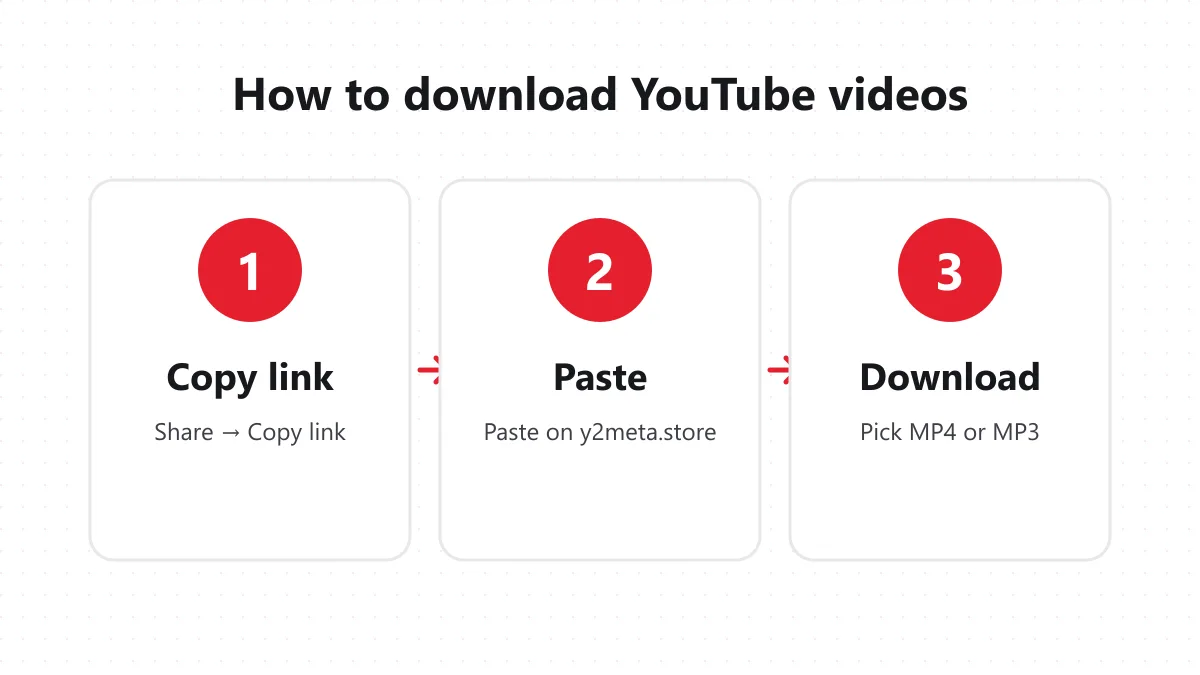
How to download a YouTube playlist
1. Copy the playlist link
Open the playlist on YouTube, tap Share and choose Copy link. A playlist link contains list=, for example youtube.com/playlist?list=PL…. On a computer you can also copy it from the address bar while the playlist page is open.
2. Paste it on Y2Meta
Paste the link into the box at the top of this page and press Convert. Y2Meta reads the playlist and shows its name, the number of videos and the full list with titles, channels and lengths.
3. Save the videos you want
Tap Download next to a video. Y2Meta opens every quality for it – MP4 from 1080p down to 144p, plus MP3 and M4A audio. Pick one and the file saves to your device. The playlist stays on the page, so you can move on to the next video straight away.
What you can do with a downloaded playlist
- Courses and tutorials – keep a full lesson series offline for a flight, a commute or a place with weak Wi-Fi.
- Music playlists – save the songs as MP3 to play in any music app without ads or buffering.
- Workout and study lists – put a set of videos on a tablet so they play one after another without a connection.
- Your own channel – back up the videos in your playlists as MP4 files.
Playlist links that work
| Link type | Example | Result |
|---|---|---|
| Playlist page | youtube.com/playlist?list=PL… |
Full list of videos |
| Album or music playlist | youtube.com/playlist?list=OLAK… |
Every track |
| Video inside a playlist | youtube.com/watch?v=…&list=PL… |
That one video |
| Mix | youtube.com/watch?v=…&list=RD… |
That one video |
If you paste a link to a single video that happens to be playing inside a playlist, Y2Meta opens just that video. To get the whole list, open the playlist page itself and copy its link.
Search by name instead
Don’t have the link? Type the name of the video or song into the same box – for example lofi study music – and press Convert. Y2Meta searches YouTube and shows the top results, each with a Download button. It’s the quickest way to find a video when you only remember its title.
Quality and file size
Each video in a playlist is downloaded on its own, so you choose the quality per video. For long lessons, 720p is a good balance between sharpness and file size. For music, MP3 at 192 kbps or the original M4A track keeps the sound clean while using far less space than video.
Private and deleted videos
YouTube playlists often contain videos that were later made private or removed. They don’t appear in the Y2Meta list because there is nothing left to download. If the whole playlist is private, Y2Meta tells you so – only public and unlisted playlists can be read.
Use downloads fairly
Download playlists you made yourself, videos with a Creative Commons licence, or content you have permission to save. Don’t re-upload other people’s videos.